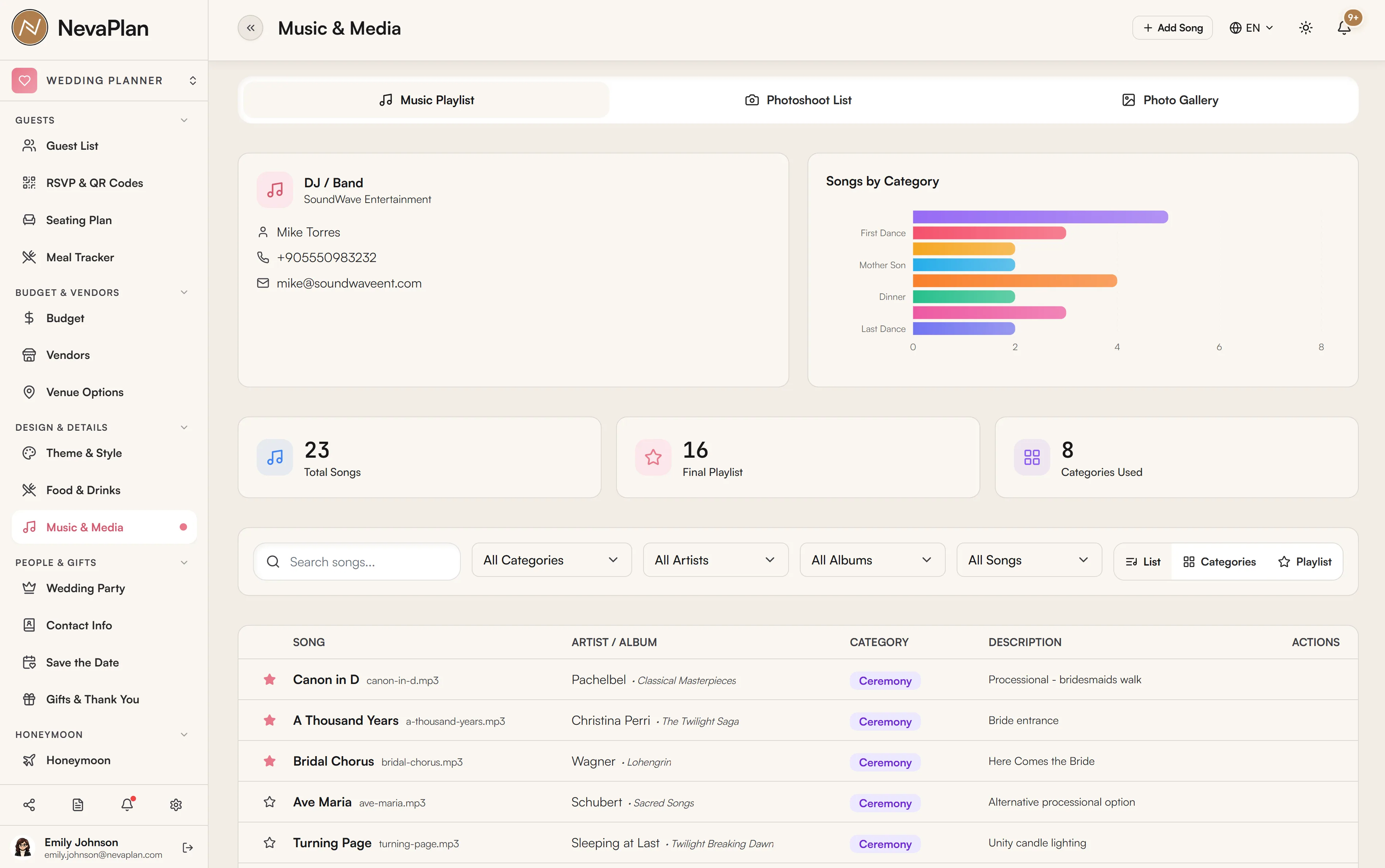
The Music & Media page gathers the sound and pictures of your wedding in one place: the songs for each moment, your photoshoot schedule, and the photo gallery. It's split into three areas — Music, Photoshoots, and Photos.
Music
Build your list of songs organized by moment, so your DJ or band knows exactly what plays when:
- Ceremony
- First Dance
- Father–Daughter / Mother–Son
- Cocktail Hour
- Dinner
- Party
- Last Dance
- (and an Other catch-all)
Each entry records the song title, the artist, and notes (or a link). The point isn't a giant playlist — it's the handful of must-play moments that matter, plus the do-not-play list every DJ asks for.
Your DJ / musician appears as a card at the top, pulled from your Vendors list. Keeping the song list and the person who'll play it on one screen means your requests actually reach them.
Photoshoots
Schedule your photo sessions — engagement shoot, getting-ready, ceremony, reception, couple portraits — each with a date, time, location, and status. Your photographer shows as a linked vendor card. A clear shoot schedule is what keeps the day's photography from eating into the party.
Block your getting-ready and couple-portrait times realistically — they're the two that always run long. Pad them, and tell your photographer the hard stops (e.g. "guests arrive 3:30"). Coordinate these times with your timeline so nothing collides.
Photos
A gallery for your wedding photos, organized by category — Ceremony, Reception, Getting Ready, Couple Portrait, Family Portrait, Bridal Party, Details, Venue, Candid, and more. Upload photos, tag them by category, and browse them in a lightbox.
This is the couple-side gallery you curate. It's distinct from the public guest photo-sharing page, where guests upload their own snapshots from the day — though guest uploads also flow into your media so everything lives together.
How it connects
- Vendors — the DJ and photographer cards come from your Vendors list (DJ and Photographer categories)
- Timeline — photoshoot times should line up with your wedding-day timeline
- Guest photo sharing — guest-uploaded photos and your curated gallery share the same media space
Next steps
- Add your DJ and photographer as vendors so they appear here
- Slot photoshoot times into the timeline
- Set up guest photo sharing for the day-of snapshots
FAQ
No — focus on the moments that matter (ceremony, first dance, parent dances, last dance) and your do-not-play list. Most couples leave the broad party playlist to the DJ and just specify the key moments and any hard nos.
The Photos gallery here is the couple's curated collection, organized by category. Guest photo sharing is the public page where guests upload their own pictures. Both end up in your media, but one is curated by you and the other is contributed by guests.
Add them on the Vendors page in the DJ and Photographer categories. Once they're vendors, their cards appear at the top of the Music and Photoshoots sections with their contact info.
No — the music list records song titles, artists, and notes/links (you can paste a streaming link in the notes). It's a reference for your DJ, not a media player or file store.
Yes, if you've granted them access to the MEDIA_EXTRAS module under Sharing.