NevaPlan is a suite of separate planning modules — Wedding Planner, Budget Planner, and others — and each one is unlocked on its own. This article explains how the free plan works, what changes when you purchase, and how to activate a license code if you bought one.
The free plan — every module, free forever
Every verified NevaPlan account can open every module for free, with no time limit. There's no countdown and nothing expires. Instead, the free plan has usage limits — for example, Wedding Planner is free up to 15 guests, and exports or email sends are part of the paid plan.
When you hit a limit, you'll see an upgrade prompt right where you are — your existing data is never touched.
How access works, per module
Access is tracked per product, with two levels:
- Free — full feature surface, with per-module usage limits
- Active — purchased; unlimited usage, exports, and sharing unlocked
So you can, for example, have Budget Planner purchased while using Wedding Planner on the free plan — they're independent.
Checking your access
Go to Settings → Subscription. You'll see the modules you've purchased listed as Active; everything else is available on the free plan and can be unlocked with a one-time purchase from Account → Billing.
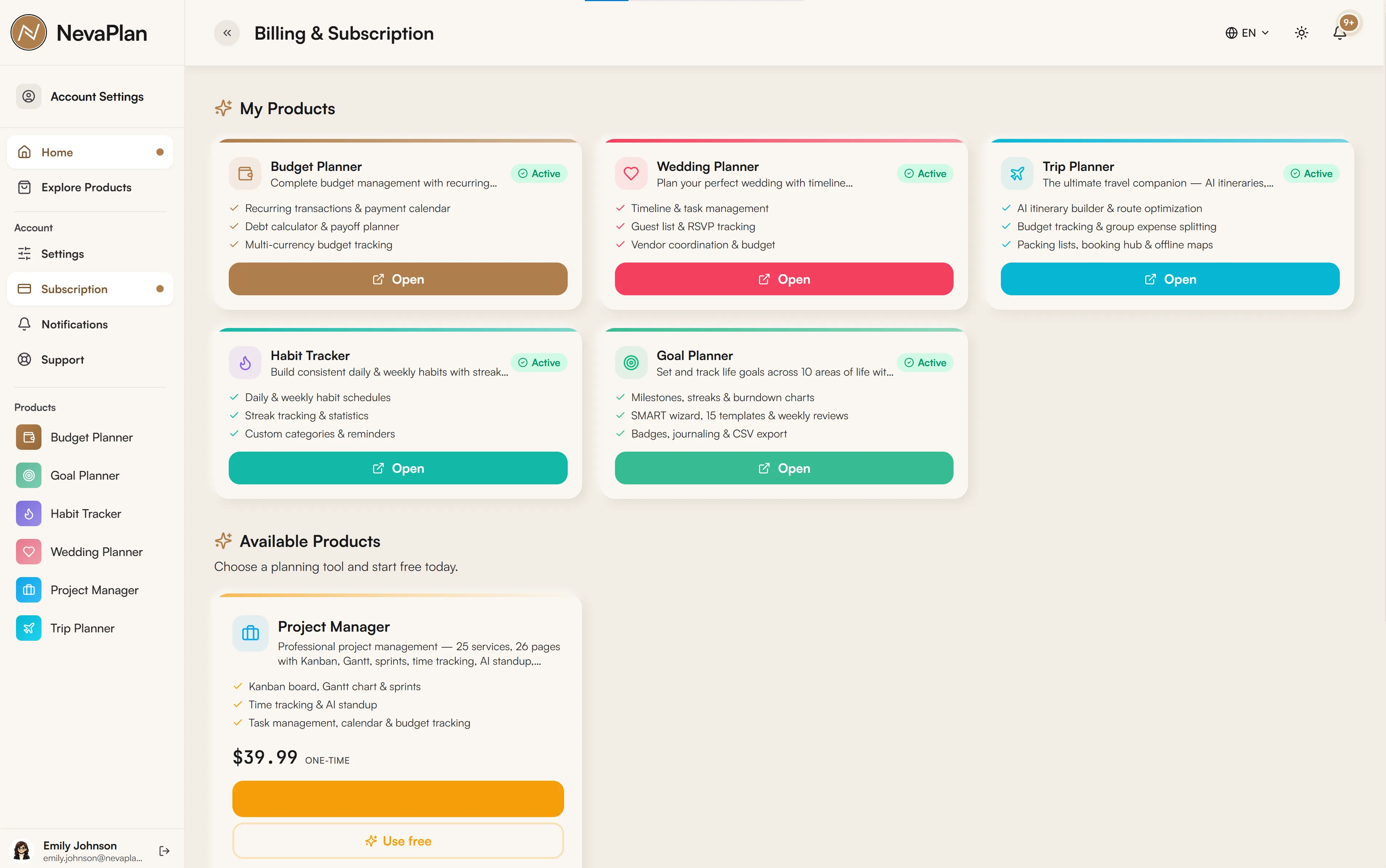
The free plan never expires, so you can take your time. Purchasing is a one-time payment per module (or a discounted bundle) — no recurring fees.
Getting unlimited access
Two ways to unlock a module fully:
- Buy it once — payment is handled securely through the checkout, with a money-back guarantee
- Activate a license code — if you bought a license (for example from a marketplace), redeem it on the activation page
Activating a license code
If you have a license code, go to nevaplan.com/activate (or Account → Activate) and enter it. Codes look like:
NEVA-XXXX-XXXX-XXXX
When you redeem a valid code, it unlocks the product(s) it covers — a single code can cover more than one module. You'll see a confirmation, and the unlocked modules become available immediately. If the code was already used on your account, the page tells you it's already activated (no harm done).
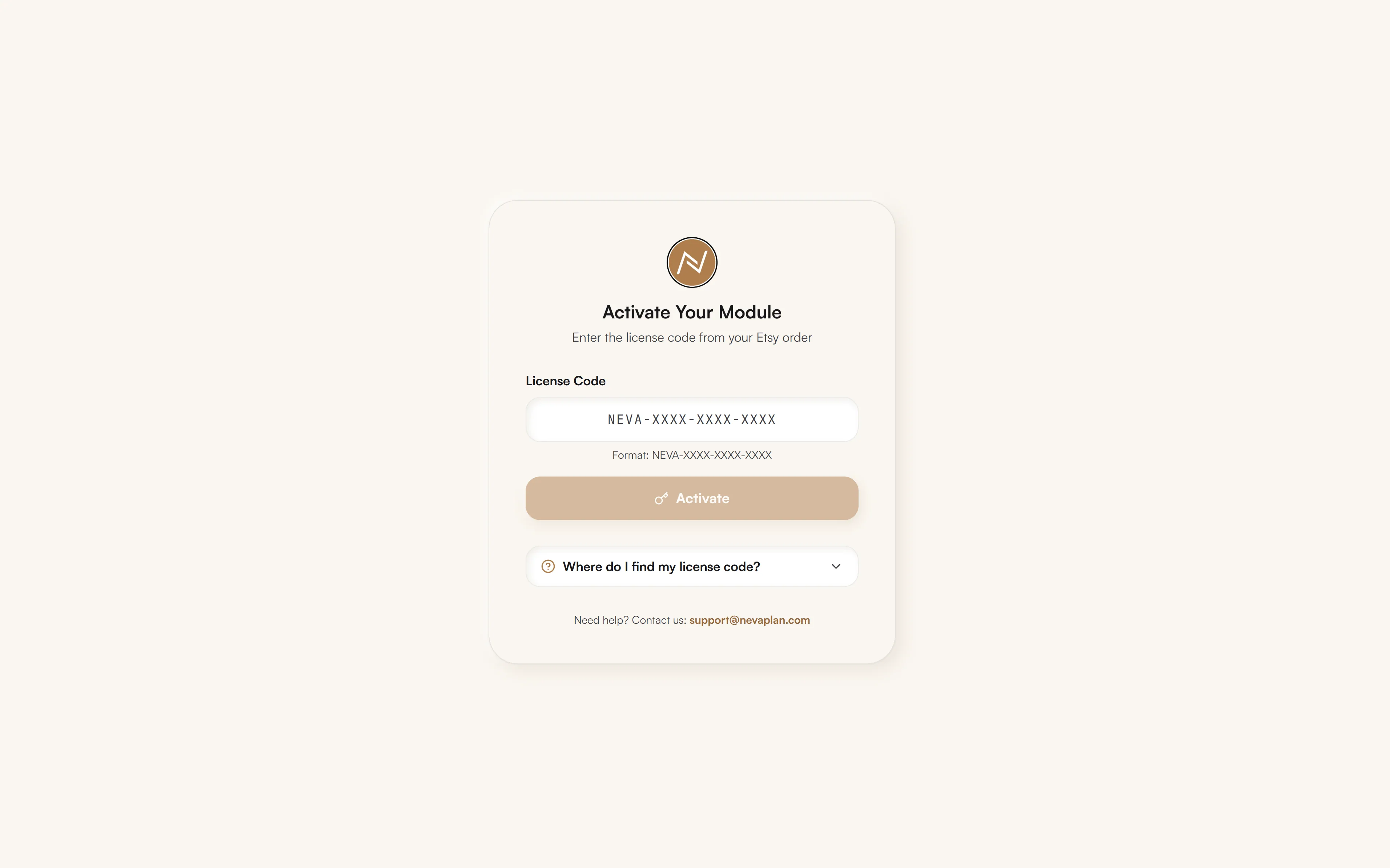
You need to be signed in to activate a code — the license attaches to your account. If you open an activation link before logging in, you'll be sent to sign in first, then returned to the activation page with your code carried over.
What you always keep
On the free plan you keep, permanently:
- Your account and login
- Your data — everything you've created stays yours, within the free limits
- Full access to the planning tools themselves — only quantity caps, exports, and sends are paid
Nothing is deleted if you never purchase; the free plan simply caps how much you can add.
Next steps
- Set up your wedding on the free plan — the full flow is open
- Invite collaborators — note that they need their own access to other NevaPlan modules, but Wedding Planner sharing is part of your wedding
FAQ
Yes — it never expires. You can plan within the free limits for as long as you like, and upgrade only if you need unlimited entries, exports, or email sends.
Access is per module, so each tool (Wedding Planner, Budget Planner, etc.) is unlocked on its own. A single license code, however, can cover more than one module — it depends on what the code includes. Check Settings → Subscription to see exactly what's active.
At nevaplan.com/activate (or Account → Activate). Enter the NEVA-XXXX-XXXX-XXXX code while signed in, and it unlocks the products it covers immediately.
You'll see an upgrade prompt at that moment — for example when adding a 16th wedding guest. Everything you've already added stays intact and editable; the limit only stops new additions until you purchase.
Within Wedding Planner, the collaborators you invite work inside your wedding (per the permissions you grant). But access to other NevaPlan modules is per account — a collaborator needs their own access to use Budget Planner, Goals, and so on. See Sharing and collaborators.